

Best ad spy tools in 2026: an honest comparison of prices and platforms
LLucas Reda · 5 Nov · 10 min
An ad spy MCP researches everyone else's public ads, while Meta's official Ads MCP manages your own account. How they differ, how to connect FreeSpy free, with no token and no self-hosting, and 15 prompts.

Short answer: a Facebook ad library MCP — an ad spy MCP, if you prefer — is a connector that lets Claude, ChatGPT or Cursor look up ad data right inside the chat. There are two very different kinds. Meta's official connector (https://mcp.facebook.com/ads) manages and reports on your own ad account. An ad library MCP researches the public ads of any advertiser. FreeSpy's MCP is the second kind: 22 tools that read Meta, TikTok and YouTube ads with days live, copies and a 0–100 scale index, with 100 calls a day on the free account. No Meta token, nothing to self-host: you sign in to FreeSpy and paste one address.
Search "meta ads mcp claude" today and nearly every result is a setup guide for Meta's official connector. It's a good tool, but it answers a different question. If you want to know what a competitor is running, which offer has been live for weeks, or what changed overnight on the stores you follow, you need an MCP that reads the public ad library. This guide explains the difference, walks through setup in each client, and gives you prompts that actually work.
MCP (Model Context Protocol) is an open standard for plugging an AI assistant into a data source or a tool. Instead of you pasting data into the chat, the AI calls the tool itself, gets the result back, and writes its answer on top of it.
In practice:
The AI doesn't know anything about today's ads on its own. Without a connector it guesses, or repeats something it read months ago. With one, it answers with today's data.
This is the part almost nobody spells out. When someone says "ads MCP" or "facebook ads library MCP", they can mean one of three things:
| Meta's official connector | Open-source ad library MCPs | FreeSpy MCP | |
|---|---|---|---|
| What it's for | Create, manage and report on your campaigns | Search public ads in the Meta Ad Library | Search public ads that are already read and organized, with scaling signals |
| Whose ads | Yours | Any advertiser | Any advertiser |
| Networks | Meta | Usually Meta only | Meta, TikTok and YouTube (TikTok and YouTube have smaller coverage) |
| Server URL | https://mcp.facebook.com/ads | Varies; many run on your own machine | https://freespy.io/mcp |
| Sign-in | Facebook (your ad account) | Meta API token, a paid data service key, or none (scraping) | FreeSpy account, free with no card |
| What you get back | Real metrics from your account | Raw list of ads | Days live, copies, 0–100 index, advertiser profile |
| Price | Free during open beta | Free (you host it) or paid | Free: 100 calls/day; Pro is optional |
Checked in October 2026. Sources: Meta's announcement and the Ads MCP Server docs.
They don't compete. Plenty of media buyers run Meta's connector for their own campaigns and an ad library MCP for market research, in the same conversation.
Meta launched Meta Ads AI Connectors on April 29, 2026, as an open beta. The package has an MCP server hosted by Meta at https://mcp.facebook.com/ads and a command-line tool (CLI). In July 2026 Meta added the option to connect through your own developer app, plus rules that let a business portfolio admin limit what an AI agent can do on the account.
According to the official docs, the tools fall into seven groups: reporting, ad creation and management, catalogs, signals and datasets, help and troubleshooting, A/B and lift tests, and activity logs. Everything revolves around the ad account you authorized.
What it doesn't do, based on how the docs describe it: search other advertisers' ads in the Ad Library. Its "help" search looks up Business Help Center articles, not ads. If your question is "what is my competitor running?", this connector isn't the tool for it.
There are several GitHub projects that connect an AI client to the Meta Ad Library. They usually take one of three routes:
Either way you get raw ads. Counting how long each one has been live, grouping copies of the same creative, and telling a winner from a test is left to you, or to the AI, which burns context and gets the math wrong.
FreeSpy reads the libraries every day, groups the copies of each creative and computes the read. The MCP hands that read to your AI. A regular account gets 22 tools:
| Group | Tools | What for |
|---|---|---|
| Discover | freespy_inicio, freespy_buscar_criativos, freespy_categorias | Today's champions, rising now, validated for 90+ days, COD that sells; search by country, niche, sub-niche, network, format, COD, days live |
| Analyze | freespy_detalhe_criativo, freespy_anunciante, freespy_loja, freespy_buscar_anunciantes, freespy_buscar_produtos, freespy_utm | Ad X-ray, advertiser dossier (index, profile, countries, stores), store dossier, rankings |
| Monitor | freespy_monitor_novidades, freespy_monitor_listar, freespy_monitor_adicionar, freespy_monitor_remover | What launched, what was taken down and what became a champion on the advertisers you follow |
| Organize | freespy_salvar, freespy_salvos_listar, freespy_esteira_adicionar, freespy_esteira_listar, freespy_esteira_mover | Saved collections and the Test Board (I found it → I’ll test it → Testing → Scaling → It died) without leaving the chat |
| Account and extras | freespy_conta, freespy_conectar, freespy_agentes_listar, freespy_agente_instalar | Today's usage and limits, connection card, catalog of AI agents and connectors |
The tool names are in Portuguese (FreeSpy started in Brazil), but you don't need to type them. Ask in English and the AI picks the right one; answers come back in your language. Every result includes the freespy.io link to the ad, advertiser or store, so you can check it with your own eyes.
First, create your account at freespy.io/login. It's free and doesn't ask for a card. That login is what Claude will ask for when you authorize.
https://freespy.io/mcp.Per Claude's documentation, custom connectors work on the Free, Pro, Max, Team and Enterprise plans. Free accounts get one custom connector. On Team and Enterprise, an Owner adds the connector for the organization and each member connects with their own account.
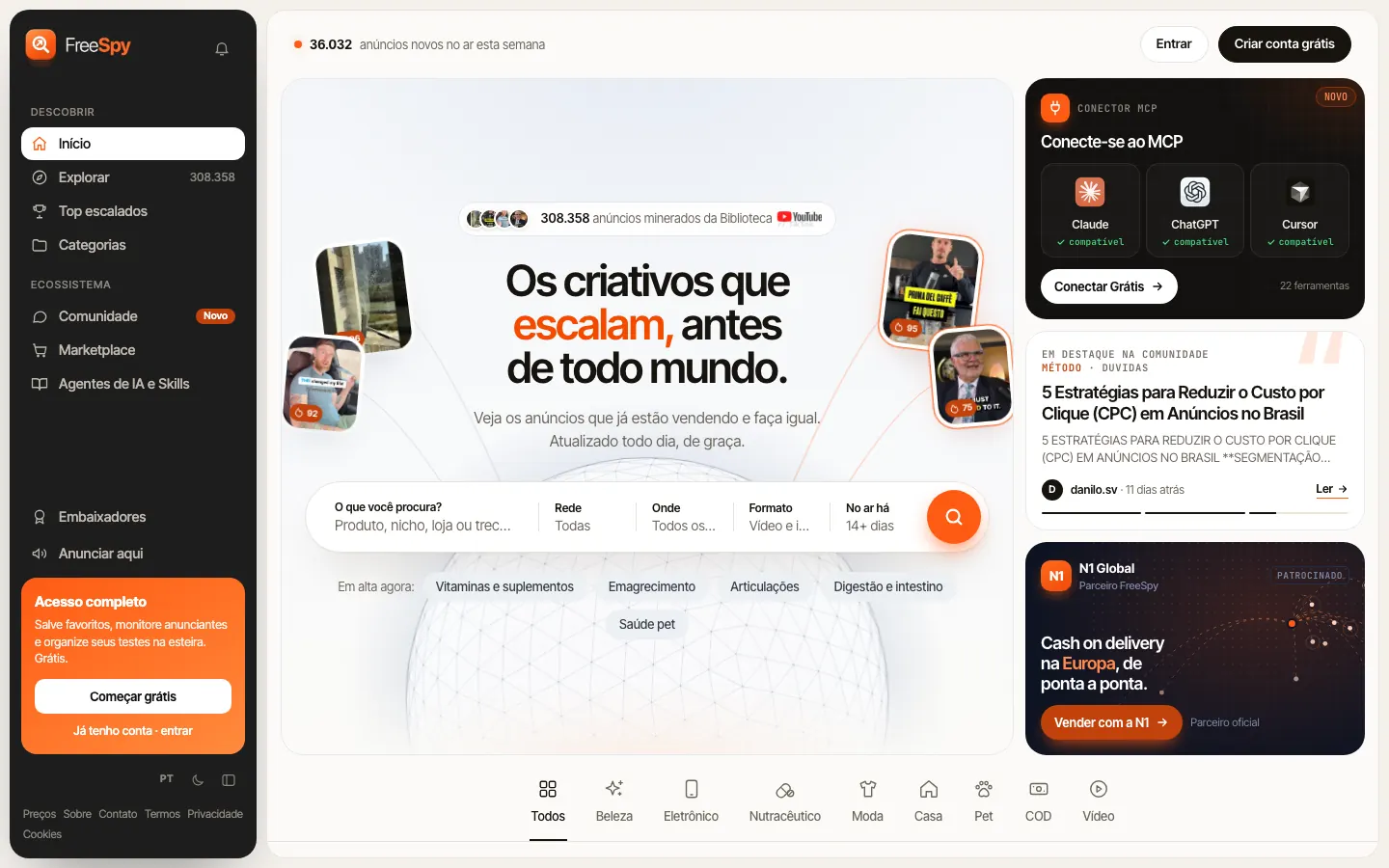
The shortest path is the Connect to MCP card on the home page. The button opens step-by-step instructions for each app, with the URL ready to copy and a button that takes you straight to the connectors screen.
ChatGPT has renamed this menu several times (connectors, then apps, then plugins), so older tutorials point to screens that no longer exist. According to OpenAI's current docs, the path is:
https://freespy.io/mcp.Two honest caveats. First, this Plugins flow no longer needs developer mode; you just accept the risk warning for each server. Second, per OpenAI's help center, custom MCP servers are available on the Business and Enterprise/Edu plans, on ChatGPT web only (not mobile). On Business, a workspace admin or owner adds it. If the option isn't there for you, Claude is the simpler route.
Cursor. In FreeSpy's connect window, pick Cursor and click Install in Cursor. Cursor opens with the config filled in; just confirm. That link carries your personal key, so treat it like a password. If it leaks, generate a new key in the same window and the old one stops working immediately.
Claude Code. In your terminal:
claude mcp add --transport http freespy https://freespy.io/mcp
Then, inside Claude Code, run /mcp, pick FreeSpy and approve in the browser. If you'd rather skip OAuth, the connect window also shows the personal-key version.
Write the way you'd talk to a colleague. The AI picks the tool and the filters. In brackets, what it usually calls.
freespy_inicio) A good first prompt when you have no filter in mind.freespy_buscar_criativos with country GB, beauty niche, 30+ days, sorted by copies)freespy_buscar_criativos with cod, video format, launched within 21 days)freespy_anunciante twice)freespy_monitor_novidades) It also takes "in the last 7 days" or "since 2026-10-01".freespy_detalhe_criativo)freespy_buscar_produtos)freespy_loja)freespy_buscar_anunciantes with the evergreen profile)freespy_categorias)freespy_buscar_criativos with source tiktok)freespy_monitor_adicionar)freespy_salvar and freespy_esteira_adicionar)freespy_buscar_criativos, plus freespy_detalhe_criativo if needed)freespy_conta)Tip: always ask for the link. The server already tells the AI to cite the freespy.io URL of everything it shows, but asking again doesn't hurt.
AI writes well, and that's a risk: a convincing paragraph on top of weak data is still weak data. Four things to keep in mind:
And the usual rule: what you take from an ad is the angle and the structure, not the asset. Copy the structure, not the creative. For health ads, the AI describes the angle and doesn't reproduce the claim.
| Free | Pro | |
|---|---|---|
| MCP calls per day | 100 | Unlimited |
| Ads returned per day | Up to 1,000 | Up to 5,000 |
| Items per results page | Up to 24 | Up to 50 |
| Monitor | 5 advertisers | Unlimited |
| Saved collections | 3 | Unlimited |
| Card required | No | US$ 39/month or US$ 390/year |
The account is free forever. Pro is optional, for people who run a lot of searches a day or follow many advertisers. To check your usage, ask the AI ("how much of my limit have I used today?") or see Pricing.
What it does: it takes the grunt work off your plate. Instead of opening the library, counting dates and hunting for duplicates, you ask and get a list already sorted by scale, with days live, copies and links. The same read you see in Explore and Top Scaled shows up inside your AI, and it can cross-reference your Monitor and Test Board. Our guides on finding scaled offers and finding winning products from the ad lay out the method; the MCP makes that method something you can talk to.
What it doesn't do: it doesn't touch your ad account, doesn't launch campaigns, doesn't track Shopify store sales, and doesn't guarantee an offer will sell for you. For your own campaigns, use Meta's connector. For the market, use FreeSpy.
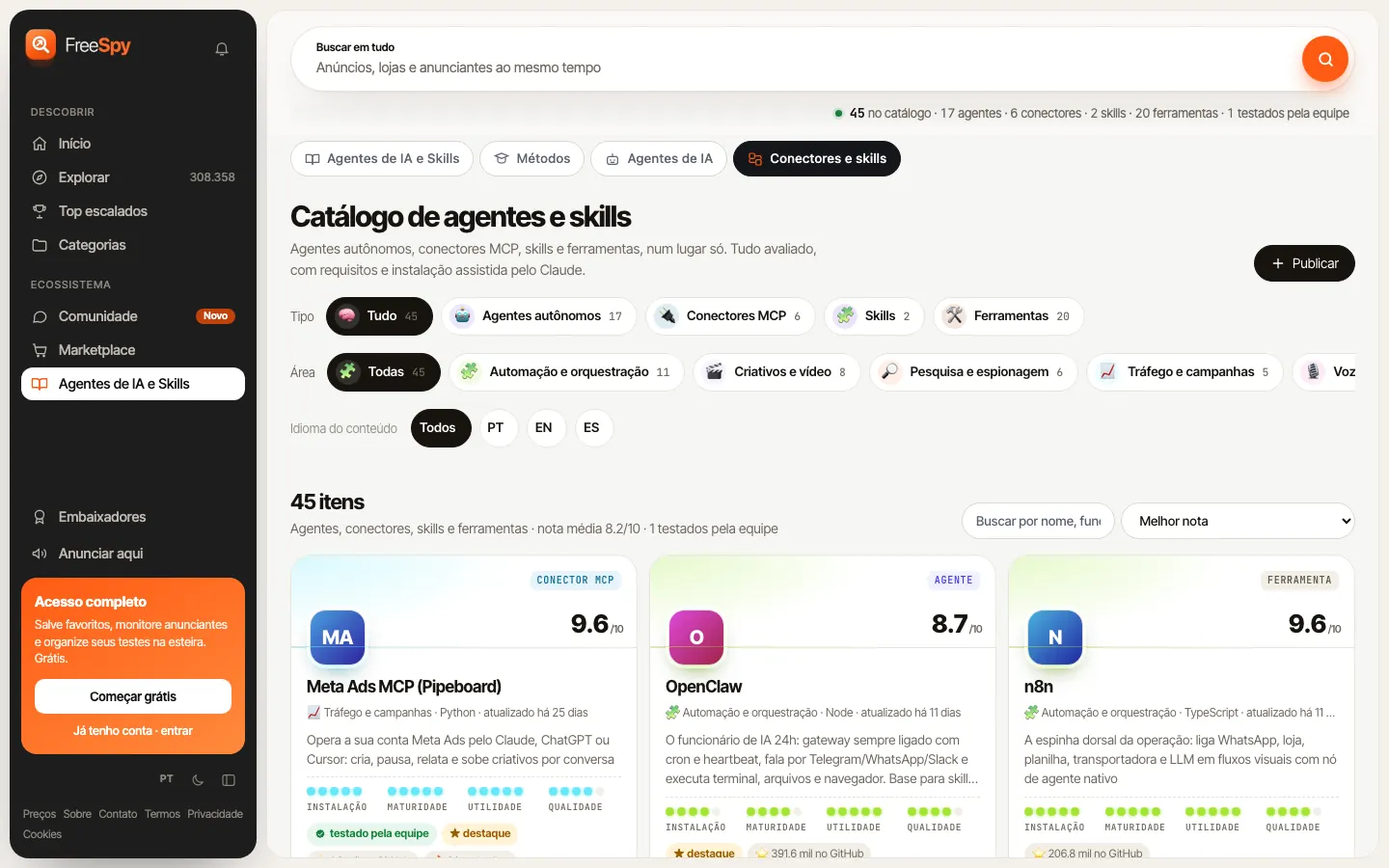
If you want several connectors in the same AI (Meta's, a spreadsheet one, a store one), the connectors and skills catalog collects reviewed options with install steps, and the AI agents page shows the ones built for ad research. The freespy_agente_instalar tool brings those steps into the chat and asks for confirmation before running anything.
Yes. The account is free forever, doesn't ask for a card, and includes 100 MCP calls and up to 1,000 ads a day. Pro removes the call limit and raises it to 5,000 ads a day.
For FreeSpy, https://freespy.io/mcp. In Claude and ChatGPT you sign in with your FreeSpy account (OAuth). In Cursor, the connect window installs it in one click with your personal key. Meta's official server URL is https://mcp.facebook.com/ads, and that one is for your own ad account.
No. Meta's connector manages and reports on your ad account. FreeSpy searches public ads from any advertiser, with days live, copies and an index. You can use both side by side.
Not today. Per OpenAI's help center, custom MCP servers are available on the Business and Enterprise/Edu plans, and OpenAI changes these rules often. If the option doesn't show up, Claude allows one custom connector even on its Free plan.
Yes, with the network filter. TikTok and YouTube coverage is smaller than Meta's, so treat those results as a sample.
It describes the angle, the hook and the structure. The right move is to rebuild the asset around your own offer. For health ads, it won't reproduce the claim.
Create your account at freespy.io/login, connect the MCP from the home page card, and ask your first question: "what's scaling in my niche today?" Two minutes in, you'll know whether it's worth your time.
Everything on the blog is on the platform, with days live, copies and the original media. Free.