
Best ad spy tools in 2026: an honest comparison of prices and platforms
LLucas Reda · 5 Nov · 10 min
A step-by-step guide to finding a competitor's YouTube and Search ads in Google's Ads Transparency Center, estimating how long they've run, and knowing what it won't show you.

Short answer: the Google Ads Transparency Center (adstransparency.google.com) is Google's ad library. It's free and you don't need to sign in. Search by advertiser name or website, pick a country, filter by platform (YouTube, Search, Shopping, Maps or Play) and format (text, image or video), then open each ad. Outside Europe it only shows the last date an ad was shown and its format. It doesn't show keywords, spend or targeting, and you can't search by keyword.
If you already dig through the Meta Ad Library, Google's version feels odd the first time. There's no keyword box, ads show up as static previews, and the start date is missing when you're looking at the US. Still, it's the only official place where you can see the videos a competitor is paying to run on YouTube and the text ads they're buying on Google Search.
This guide walks through the whole process: what the Transparency Center actually shows (checked against Google's own pages in October 2026), how to get to a competitor's YouTube ads, how to estimate how long a video has been running, and where the tool stops being useful.
Google launched it in March 2023. The announcement on Google's blog describes it as a searchable hub of ads from verified advertisers. It grew out of Google's advertiser identity verification: once an advertiser proves who they are, they get a public page with their legal name, country and the ads they've run.
People search for it under a lot of names: "Google ad library", "Google Ads library", "Google transparency report for ads". It's all the same tool.
According to the Transparency Center FAQ, checked in October 2026:
There's no "Display" option in the platform filter. The FAQ notes that impression counts can include other Google surfaces that aren't listed, such as Gmail.
What you see on an ad's page depends on the region you select. I ran the same search with Brazil and with Germany selected and wrote down the fields. The difference comes from the EU's Digital Services Act (DSA), which requires very large platforms to keep a public ad repository with extra details. The FAQ says ads shown in Europe and Türkiye, plus political ads, get extra information.
| Field on the ad page | US, UK and most other countries | Europe (EEA) and Türkiye |
|---|---|---|
| Advertiser name and "Verified" label | Yes | Yes (unverified advertisers too) |
| Format (text, image or video) | Yes | Yes |
| Last shown | Yes | Yes |
| First shown | No | Yes |
| Topic (identified by Google) | No | Yes |
| Times shown | No | Yes, as a range (e.g. 0 to 1K), published with a 90-day delay |
| Audience selection | No | Yes: categories included or excluded (demographics, locations, contextual signals) |
| Variations of the same ad | Up to 5 | Up to 5 |
| Click through to landing page | No | No |
Checked in October 2026 in the FAQ and on ad detail pages. "Europe" in the Transparency Center means the European Economic Area: EU member states plus Iceland, Liechtenstein and Norway. The UK isn't in the EEA, so a UK search behaves like a US one.
Two details change how you read the data:
The example uses Nike because everyone knows the brand. The screenshots show the Portuguese interface; the buttons sit in the same places in English. The steps are identical for your competitor.
Go to adstransparency.google.com. No account needed. To the right of the search box there's a country selector. Pick the country where your competitor sells, not where you live. If you're watching a DTC brand that sells in the US, pick the United States. If they push hard in Germany, try Germany too, since that unlocks the extra European fields.
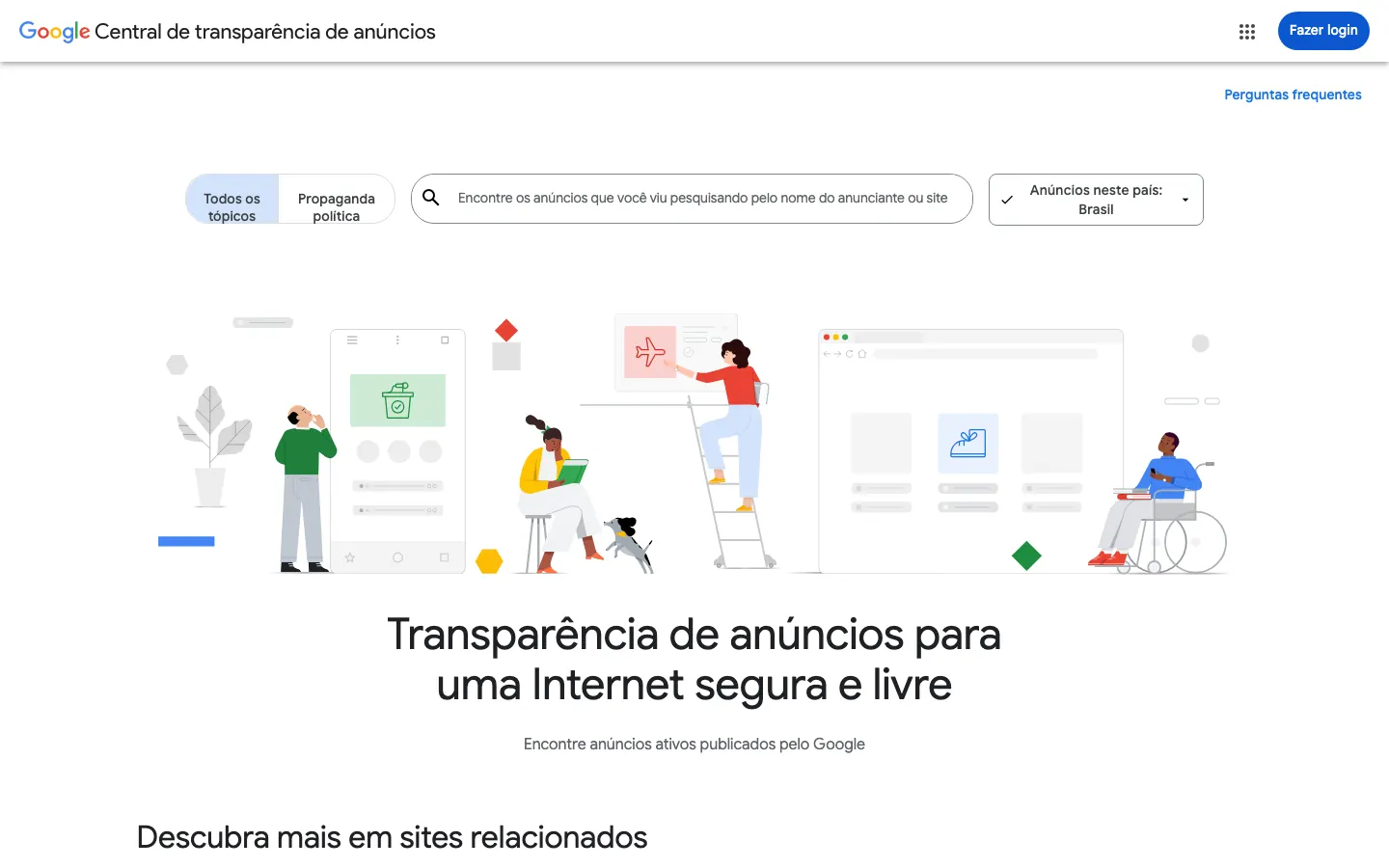
The all-topics tab is the one you want for commercial ads. The political ads tab takes you to election ads.
The box accepts two things: the advertiser name as verified with Google, or a website. For an ecommerce competitor, start with the store's domain. The legal name is often nothing like the brand name (a store called "Glow Theory" might be verified as "GT Holdings LLC"), and the domain gets around that.
When you search a domain, Google groups every advertiser account whose ads point to that site. That's a quick way to find out the same store advertises through two or three different companies. You can then click into each advertiser to see only their ads.
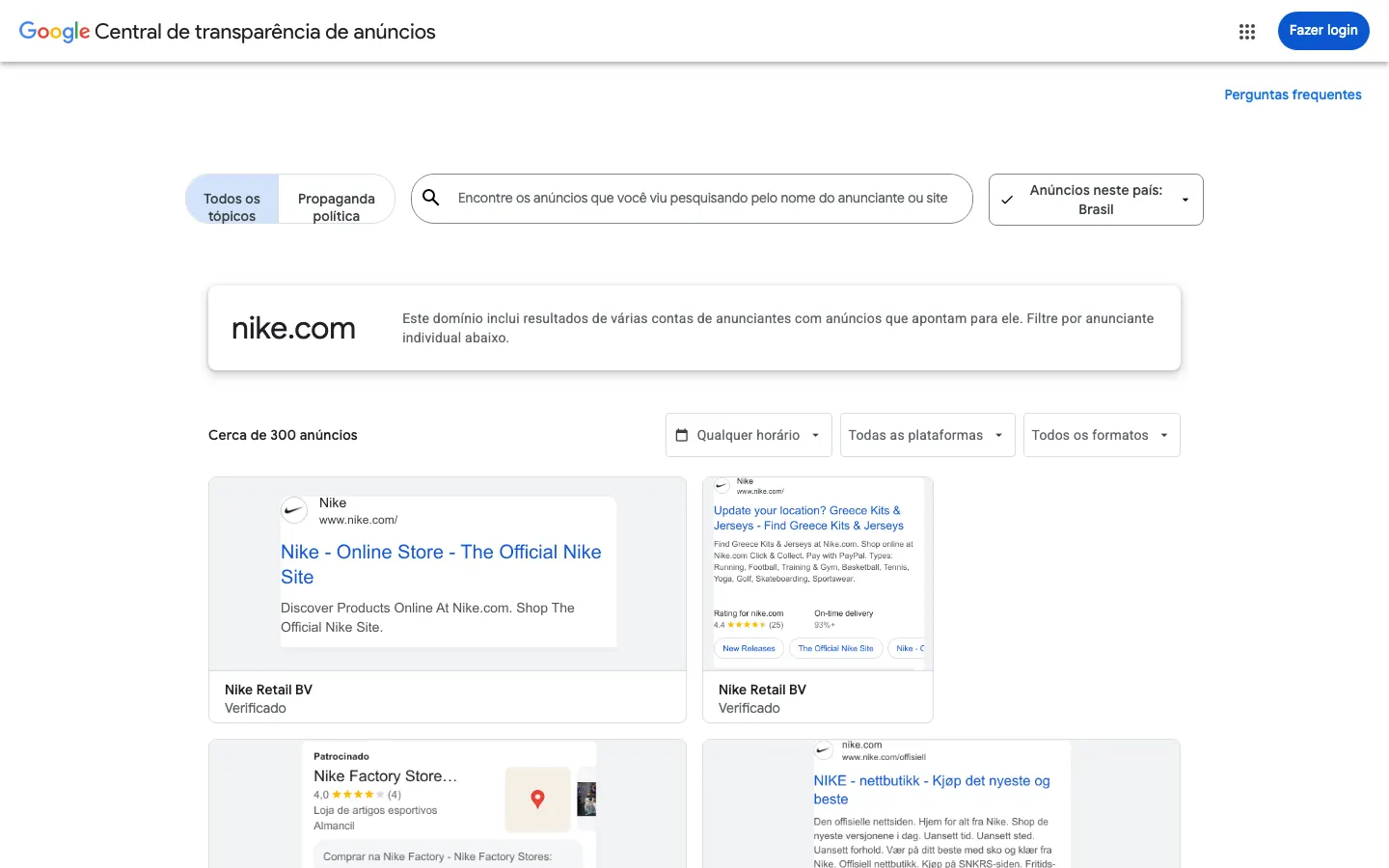
Check the name under each card. If you see a media agency instead of the brand, that agency is the verified advertiser on that account.
Above the results there are three filters: date, platforms and formats. Open the platforms menu and choose YouTube. Then open the formats menu and choose Video. The other format options are image and text.
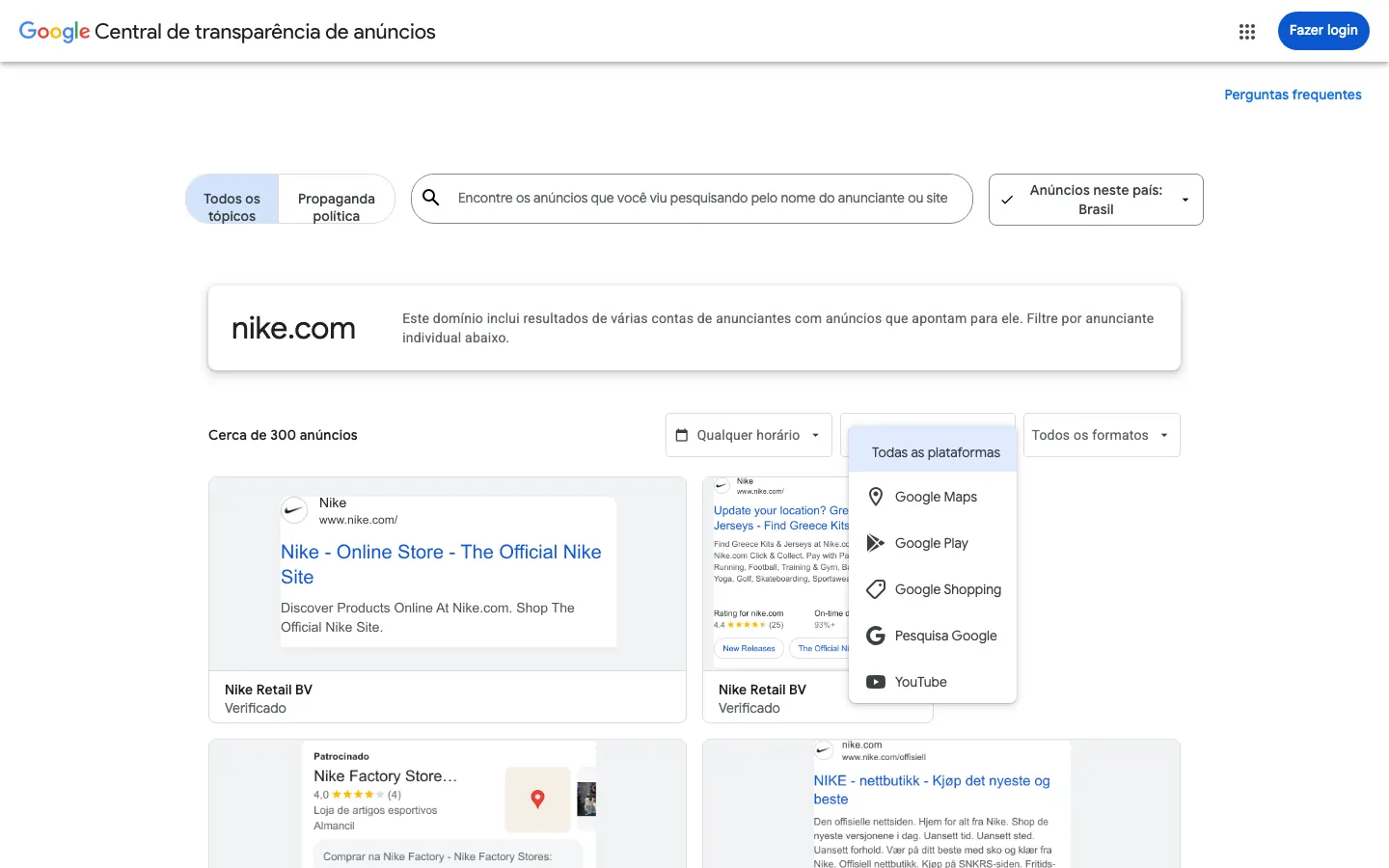
When you turn on the platform filter, Google warns that it only works for ads shown from September 4, 2023 onward. Older ads drop out of the list while the filter is on. For a current competitor that rarely matters.
If the list looks short, the page may only be showing the first few cards. Scroll down and click "See all ads".
Click a card. The ad details page shows the advertiser, region, last shown date, format and, when there are any, variations ("1 of 4 variations"). The video plays right there.
To go further and find the video on YouTube itself (upload date, views, comments), it helps to know one of Google's own rules: a YouTube video ad uses a video that's already on YouTube, set to public or unlisted. It's in the Google Ads help page on in-stream ads. In practice:
Save the URL of the ad detail page. It doesn't change, and you'll come back to it when estimating how long the ad has been live.
Meta gives you "Started running on". Outside Europe, Google only gives you last shown. You can get close to the run time by combining four signals.
Why it matters: ads that lose money usually get switched off within days. A video that's been running for months has survived several rounds of cuts. We explain the logic in days live, the most honest signal. When the same video shows up in several variations or accounts, read it the way we describe in creative copies: duplicating is the most common way to scale.
The same process answers "how to see competitors' ads on Google". Instead of YouTube, pick Google Search and the Text format. You'll see the headline, description, display URL and sometimes extras like seller ratings or sitelinks.
What you can learn:
What you can't learn: the Transparency Center doesn't show the keyword that triggers the ad, the bid or the cost per click. To find out which searches a competitor shows up for, the free way is to search your niche's terms on Google yourself, in the right country, and note who appears under "Sponsored".
Shopping and Maps ads work the same way. Shopping shows the product, image and price; Maps shows the business profile with rating. If you sell online, Shopping is a good way to see which products a competitor is putting budget behind.
Keep this list in mind before you draw conclusions:
None of this makes it useless. It just answers one specific question: "what is this advertiser I already know about running on Google right now?"
All three official libraries are free, but they show very different things. Here's what each one gives you for competitor research.
| Google Ads Transparency Center | Meta Ad Library | TikTok Ad Library | |
|---|---|---|---|
| Who's included | Verified advertisers worldwide; all advertisers in Europe and Türkiye | Any advertiser with an active ad | Ads shown in the EEA, Switzerland, the UK and Türkiye |
| How you search | Advertiser name or website | Keyword or advertiser | Keyword or advertiser |
| Where ads run | Search, YouTube, Shopping, Maps, Play | Facebook, Instagram and other Meta apps | TikTok |
| Start date | Only in Europe and Türkiye ("first shown") | Yes ("Started running on") | Yes (first and last shown) |
| Reach | Times shown range in Europe and Türkiye only, 90-day delay | Only EU ads and political ads | Unique users who saw it |
| Spend | No | Political and social issue ads only | No |
| Same creative across ads | Up to 5 variations | Shows how many ads use the same creative | Not grouped |
| History | 1 year after last shown | Active ads; EU ads 1 year; political 7 years | 1 year after last shown |
Checked in October 2026 on the official pages: Google Transparency Center FAQ, Meta Ad Library help and TikTok Commercial Content API.
Put simply: Meta is the best for discovering advertisers; TikTok has the richest data per ad but only covers Europe; Google is the only one that shows YouTube and Search, but you need to know who to look for. If your competitor also runs on TikTok, our TikTok Ad Library guide explains what it covers by country. If Instagram is your focus, see how to see a competitor's Instagram ads.
Finding the video is half the job. The other half is working out why it works and what you can take into your own offer without copying the piece.
With skippable in-stream ads, viewers can skip after 5 seconds (it's on the same Google help page). So the opening does all the heavy lifting. Write down what happens in it: a question, a problem scene, a result on screen, someone talking straight to camera? Tag it by angle using the six creative angles: social proof, personal story, discount, authority, fear or curiosity.
Split the video into blocks: hook, problem, mechanism (why it works), proof, offer, call to action. Note the timestamp of each. Break down two or three VSLs from the same niche this way and you'll see a pattern you'd miss watching once.
If the ad is for a health product or supplement, describe the claim in your own words in your notes. Don't copy the script: it isn't yours, and those claims are exactly what gets ad accounts banned.
Look at the button, the closing line and the domain. Does the CTA go to the store, a quiz, a lead page? That tells you which part of the funnel the video is doing.
Once it's mapped, rebuild it. Same angle, same structure, your own piece. The method is in copy the structure, not the creative.
FreeSpy is our product, so read this section with that in mind.
The biggest limit of Google's Transparency Center is that you need to know who to search for. FreeSpy reads public ads from Meta, TikTok and YouTube every day, groups copies of the same creative and shows what's scaling. You start from what's running, not from a name.
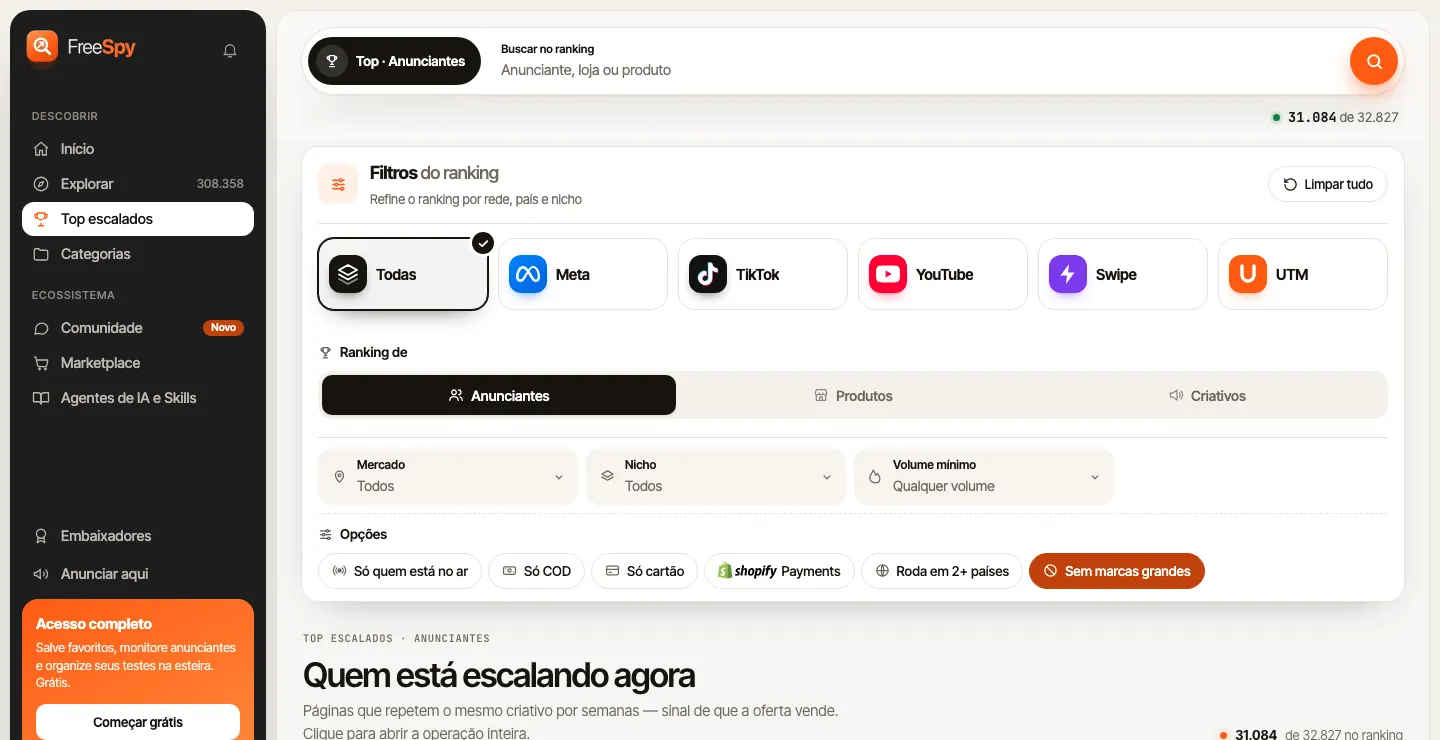
In practice:
What it doesn't do, so you're not disappointed: YouTube coverage is smaller than Meta's, which is still our deepest source. FreeSpy also doesn't show keywords, spend or targeting, because that data isn't public. Metrics are estimates from public data and don't guarantee sales. For a specific competitor that isn't in our data, Google's Transparency Center is still the way to go.
The account is free forever and doesn't ask for a card. To get started, create your account.
Yes. It's a public Google tool at adstransparency.google.com. You don't need an account, except to view age-restricted ads.
Any verified advertiser that has shown ads in the last 365 days. In Europe and Türkiye, unverified advertisers appear too. Search the domain, then filter by YouTube and video.
No. No spend, keywords or bids. In Europe and Türkiye you get a range for the number of times an ad was shown, published with a 90-day delay.
Outside Europe and Türkiye, it only shows the last shown date. If the competitor also advertises in an EEA country, switch the region to see the first shown date.
Meta lets you search by keyword and shows when an ad started. Google only searches by advertiser or website, but it's the only one that shows YouTube and Search ads.
No. Google removed click-through to landing pages permanently. Use the domain shown in the ad to find the site.
Google's Transparency Center won't tell you what to scale. It confirms what a competitor you already know is running on YouTube and Search. Combine that with days live and copies, and you have a read most people never bother to make.
One guide per platform: the others are in Guides.
Everything on the blog is on the platform, with days live, copies and the original media. Free.